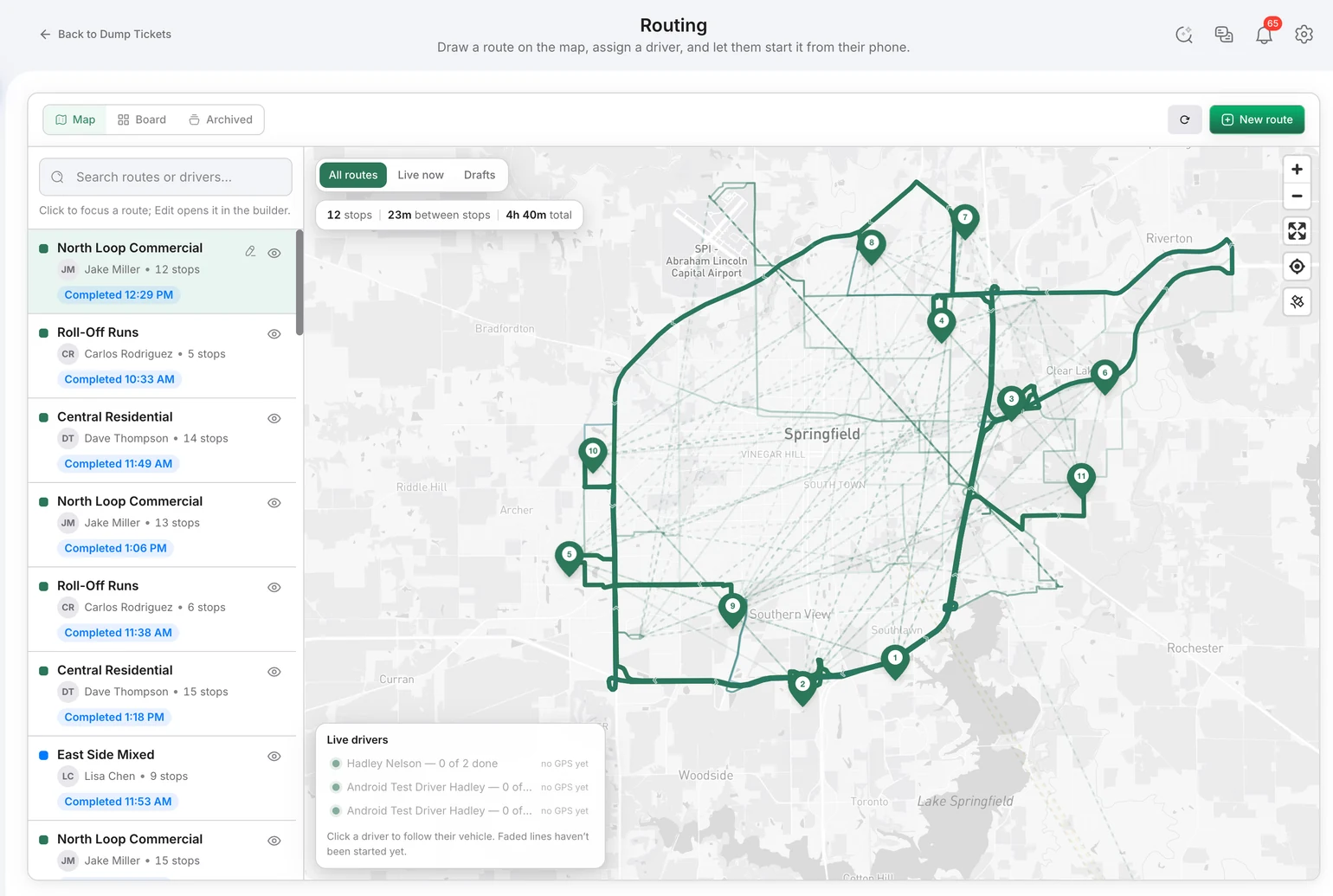
A route plan is useful until the first late stop, breakdown, urgent pickup, or customer change. Bond4Waste gives dispatchers a live operating view so they can manage what is happening now—not chase updates through phone calls and rebuild the record after the shift.
Plan the route, then manage the exceptions
Build and assign routes in one workspace, see active vehicle locations, and follow stop progress as drivers work. When the day changes, dispatch can adjust the work without creating a second version of the truth in a text message or spreadsheet.
The driver workflow is part of dispatch
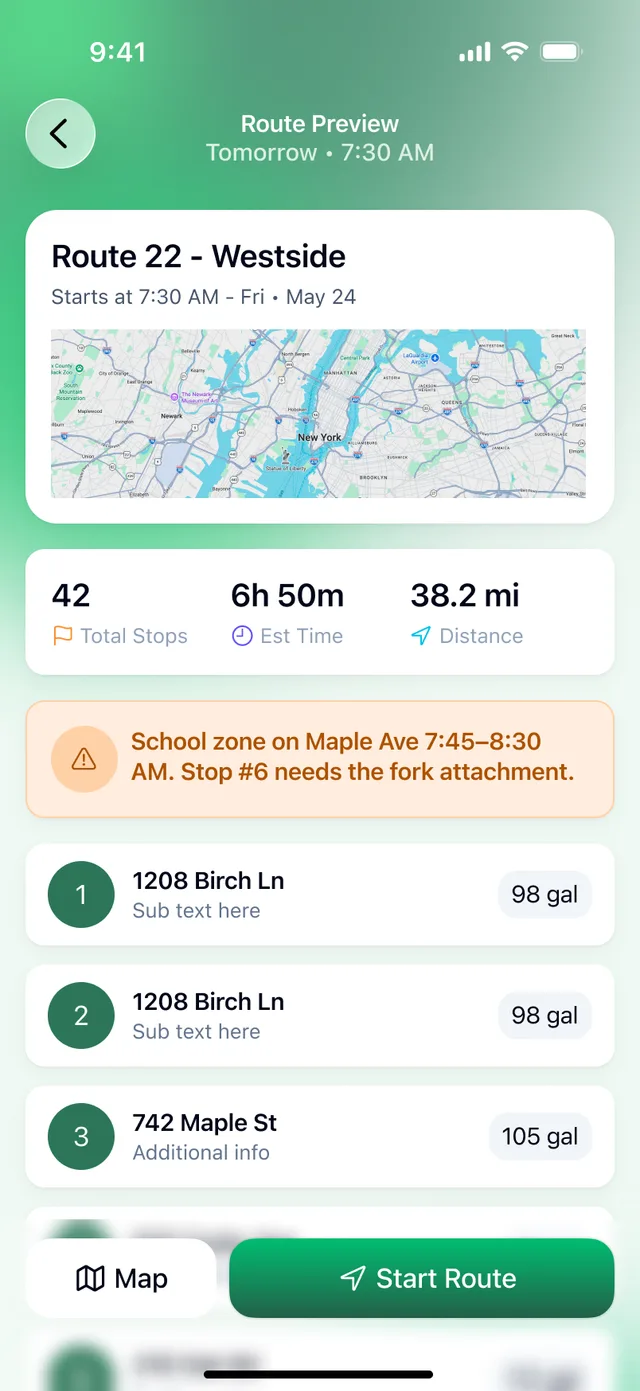
Drivers receive their assigned work in a purpose-built mobile app with navigation, stop details, photos, signatures, and completion actions. The app is designed to continue working through weak-service areas and synchronize when coverage returns.
From route status to a billing-ready record
Dispatch should not end at a green checkbox. Bond4Waste keeps completion details, proof of service, and captured dump-ticket data attached to the same work record so the office can move from completed service toward billing without re-keying the day.
| Without a connected workflow | With Bond4Waste |
|---|---|
| Call drivers for route status | See live progress and vehicle location |
| Send changes in a text thread | Update the active assignment |
| Reconstruct proof after a dispute | Keep timestamps, photos, and signatures on the job |
| Re-enter the completed route for billing | Carry operational data forward in one system |
Running roll-off work? See how the workflow supports roll-off dumpster operations. For the complete platform, visit scalable waste management software.
Dispatch is also where automation pays first: a completed stop can carry itself into a draft invoice instead of being retyped. See waste automation software for the full list of automated handoffs, AI waste management software for what the AI adds on top, and the operations AI assistant if you want to ask which routes had missed pickups this week without building a report.
Frequently asked questions
Can dispatch change a route after drivers start? Yes. Dispatch can adjust assignments as the day changes, and the connected driver workflow keeps the current work visible in the field.
Does the driver app work when service is weak? The native B4W Driver app for iOS and Android is designed to keep field work moving offline and synchronize updates when service returns.
Does route completion connect to billing? Yes. Driver completion, proof of service, and dump-ticket data stay connected to the operational record used by the billing workflow.