The short answer
Waste automation software removes the manual handoffs between route completion, disposal tickets, invoicing, payment follow-up, and accounting—so information moves forward on its own and people only intervene where judgment is required. In Bond4Waste, nine specific handoffs are automated, and three of them still end at a human approval step on purpose.
Automation is not AI, and mixing them up leads to buying the wrong thing. Automation executes a rule you could write on a napkin; AI interprets something a rule cannot describe. The hours come from the first. The reading and analysis work comes from the second.
Automation vs. AI: which one solves which problem
| Automation | AI | |
|---|---|---|
| What it handles | Structured, predictable steps between systems | Unstructured input: photographs, free-text questions, changing conditions |
| Behavior | Deterministic—the same trigger always produces the same action | Probabilistic—the output is a best interpretation |
| Auditability | Explainable in one sentence to an auditor | Needs a retained source and a review step |
| Typical hauling example | Completed work order generates a draft invoice | A photographed scale ticket becomes weight, material, facility, and fees |
| Where the value is | Recovered hours and work that stops falling through | Work nobody could automate before, like reading paper in the field |
For the AI half of this picture, see AI waste management software.
The nine handoffs Bond4Waste automates
Every automation below names its trigger, its action, and the person who still approves. An automation without a named trigger is a promise, not a workflow.
| Automation | Trigger | Automated action | Human step |
|---|---|---|---|
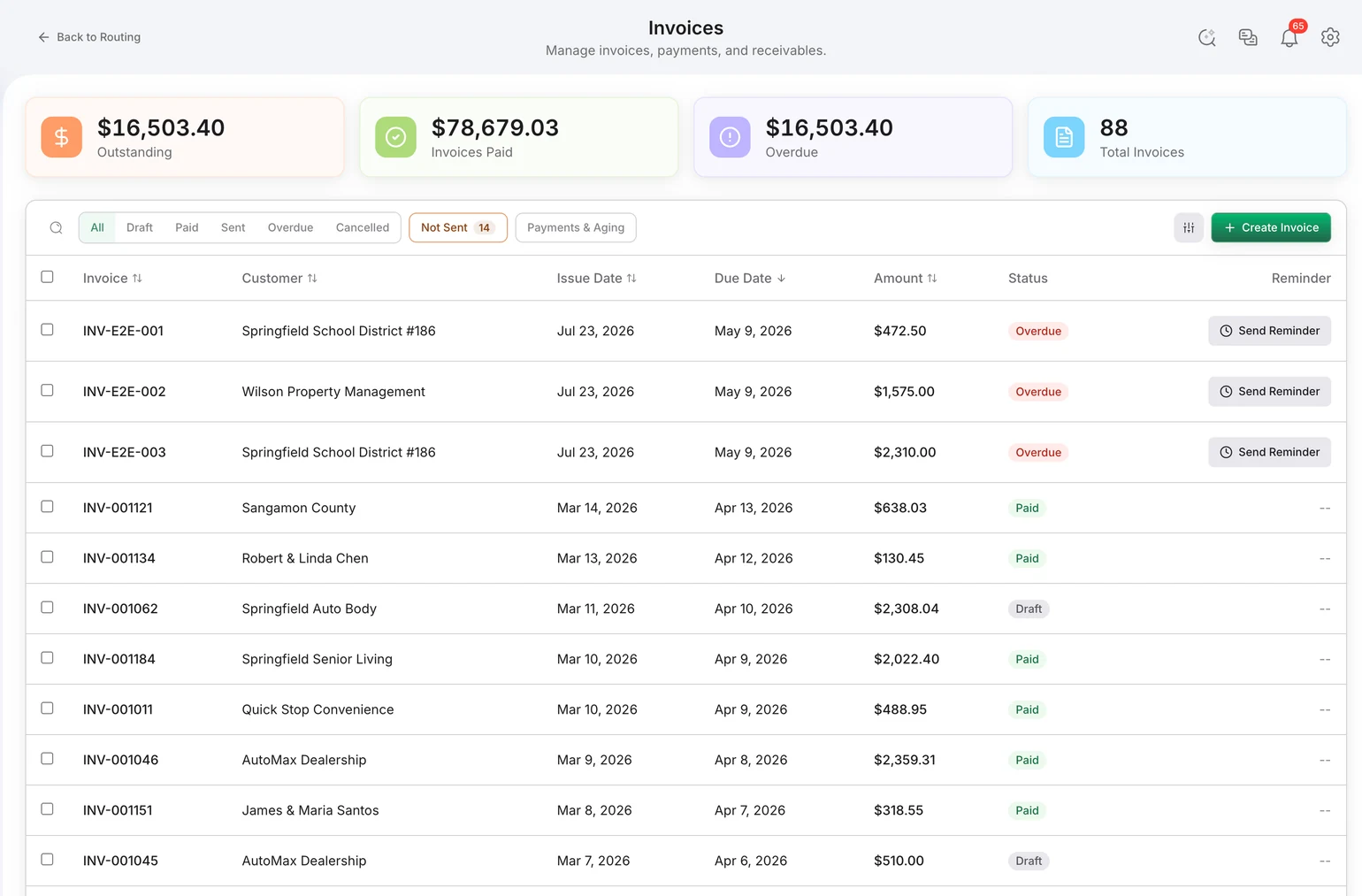
| Completed work becomes a draft invoice | A driver marks a work order complete or submits a scale ticket | An invoice is generated with the correct line items, taxes, and totals | Billing reviews and approves before the customer sees it |
| Approved invoice reaches the customer | Billing approves the invoice | The customer is emailed that the invoice is ready and can pay by card, ACH, or check in the portal | None needed—the approval already happened |
| Overdue invoices chase themselves | An invoice passes its due date | The system follows up automatically instead of someone keeping a list | Collections still handles anything that escalates |
| Scale tickets become structured data | A driver photographs the ticket at the disposal facility | Weight, material, facility, and fee fields are extracted and attached to the job | The office verifies against the retained source image |
| Contamination reports route themselves | A driver photographs contamination and writes a short description | The report goes to operations and appears in the customer billing portal | Operations decides whether the contamination charge stands |
| Reroutes notify the driver | A dispatcher drags a route to an alternate path | The driver is notified in the app—no phone call in either direction | Dispatch made the call; the notification is the automation |
| Accounting stays in sync both ways | A customer, invoice, payment, or driver expense changes | The change syncs with QuickBooks Online, with sync status visible on the record | Finance watches sync status rather than re-entering data |
| Recurring service produces work | A customer service schedule comes due | The work is placed on the route without anyone rebuilding the day | Dispatch adjusts for exceptions and same-day requests |
| Every change is recorded | Any record is created or modified | A complete audit log entry is written | Nobody—that is the point of an audit log |
The one that pays for the rest: route to invoice
The gap between a completed pickup and a sent invoice is where hauling operations lose both time and revenue. Time goes to reconstructing the day from paperwork, tickets, and driver memory. Revenue goes to the work that quietly never gets billed because nobody could match a slip to a stop.
Closing that gap requires the completion, the proof of service, and the disposal ticket to be on the same record before automation can do anything useful. That prerequisite is the reason this workflow is worth building first and the reason it fails when a hauler tries to automate across two disconnected systems.
Where automation should stop
What to measure
| Metric | Why it is the right one |
|---|---|
| Days from service completion to invoice sent | The single clearest measure of whether the route-to-cash handoff is actually automated. |
| Share of completed work that reaches an invoice | Catches revenue leaking through unmatched tickets and unrecorded stops. |
| Hours per week on manual data entry | The labor the automation was bought to remove; measure it before you switch. |
| Disputes requiring a day to be reconstructed | Falls when proof of service and tickets live on the record instead of in a folder. |
Adoption metrics such as logins or app installs measure rollout, not results. Do not accept them as evidence that automation worked.
Related pages
To sequence a rollout rather than read a capability list, use the guide to automating a hauling operation with AI. For the architecture that makes cross-workflow automation possible, see AI-native waste software. The upstream workflows are covered in routing and dispatch and dump-ticket capture, and the whole platform in waste management software.
Frequently asked questions
What is waste automation software? Waste automation software is hauling software that performs the routine handoffs of an operation without a person moving data between steps: completed work becomes a draft invoice, an approved invoice notifies the customer, an overdue invoice follows itself up, a photographed scale ticket becomes structured fields on the job, a contamination photo reaches operations and the customer portal, and accounting stays synchronized. It is distinct from AI: automation executes rules you can state in a sentence, while AI interprets things a rule cannot describe.
What should a hauler automate first? Automate the route-to-invoice handoff first, because it is the one that costs money on both ends—hours spent retyping, and revenue lost to work that never got billed. The prerequisite is that completed work, proof of service, and disposal tickets already live in one system; automating a handoff between two disconnected systems just moves the reconciliation problem. A full sequencing plan is in the Bond4Waste guide to automating a hauling operation with AI.
Is waste automation the same as AI? No. Automation is deterministic and auditable: the same trigger always produces the same action, and you can explain it to an auditor in one sentence. AI is probabilistic and handles unstructured input such as a smudged ticket photograph or a question typed in English. A well-built waste platform uses automation for anything that must be exactly right every time and AI only where a rule cannot be written.
Does automation mean invoices go out without anyone looking at them? It should not, and in Bond4Waste it does not. The system generates the invoice with line items, taxes, and totals from the work that actually happened, and a person on the billing team approves it before the customer is notified. The labor that disappears is the assembling and retyping, not the review.
Will automation work when drivers lose cell service? Yes, if the field app is offline-first. The B4W Driver app caches data locally, keeps working through poor or no coverage, and syncs automatically when the connection returns—so completions, photos, checklists, and tickets captured in a dead zone still trigger the downstream automations once the truck is back in range.
How do I measure whether waste automation is working? Measure four things before and after: days from service completion to invoice sent, the share of completed work that reaches an invoice at all, hours per week spent on manual data entry, and the number of billing disputes that require reconstructing a day from paperwork. Adoption metrics such as logins tell you nothing about whether the operation got faster.